Platform overview
BUSINESS ACCOUNT GUIDE

How to Sell Your
Business on Mergers
UnitedEverything You Need to Do, from Listing to Deal Room.

Choose Business Sale or Manufacturer Sale. Complete the External, Internal, and Privacy Information sections, then submit your Listing for admin approval. After approval, you can review Investor Listings in the Marketplace, send Proposals, receive Offers, and continue through the Deal Room.

YOU DISCOVERInvestor Listings
YOU SENDProposals
YOU RECEIVEInvestor Offers
HOW IT WORKS

The journey in six simple stages.

01 / ACCOUNT

Tell us what you own

Choose whether you are presenting a business or a manufacturing operation. This gives you the right workspace for your opportunity.

HOW IT APPEARS IN THE PLATFORM GUIDED VIEW
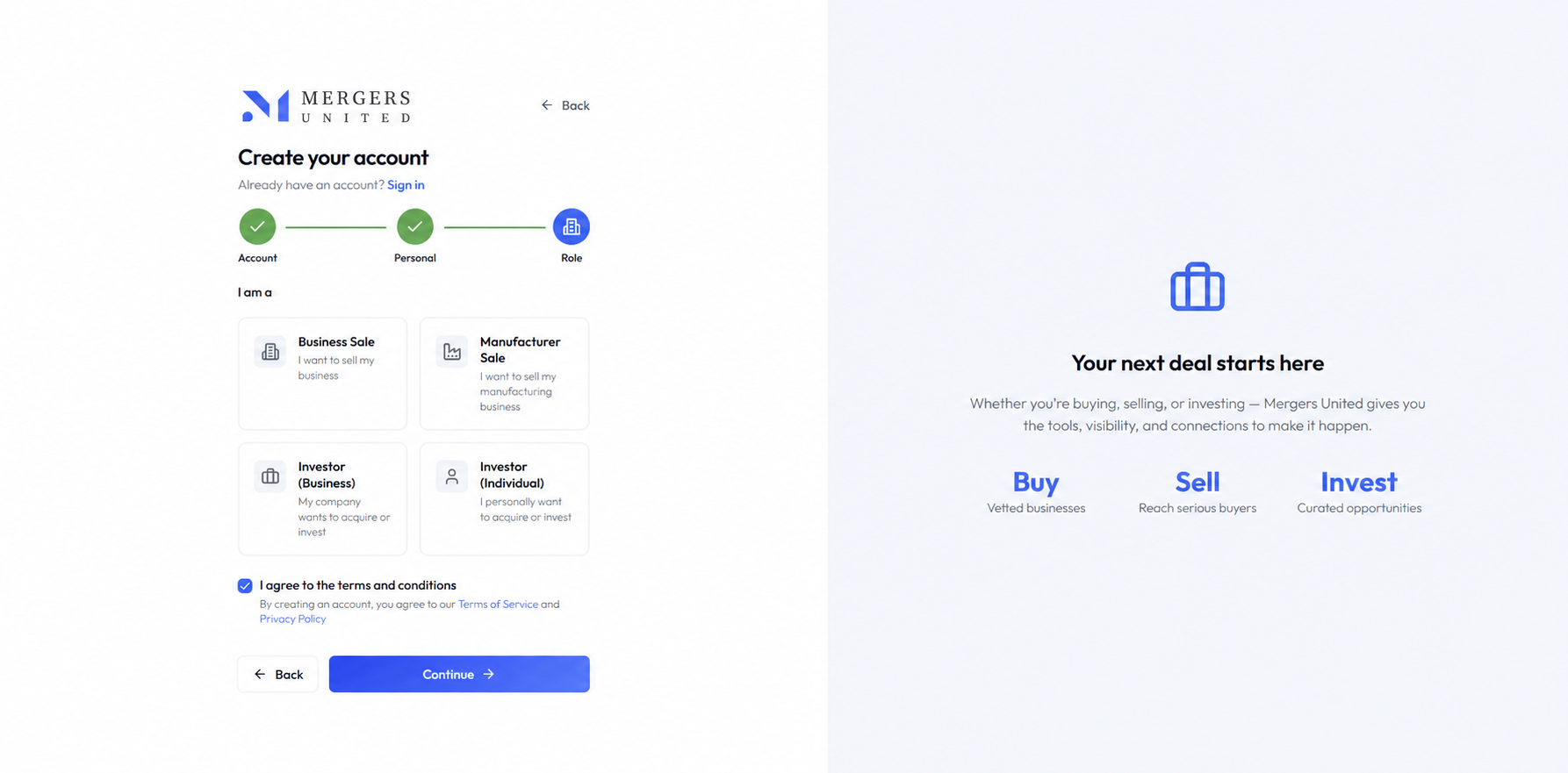
Mergers United account role selection
02 / LISTING

Present your opportunity

Create a clear profile of what you are offering. Complete the External, Internal, and Privacy Information sections so investors understand the opportunity before deciding to connect.
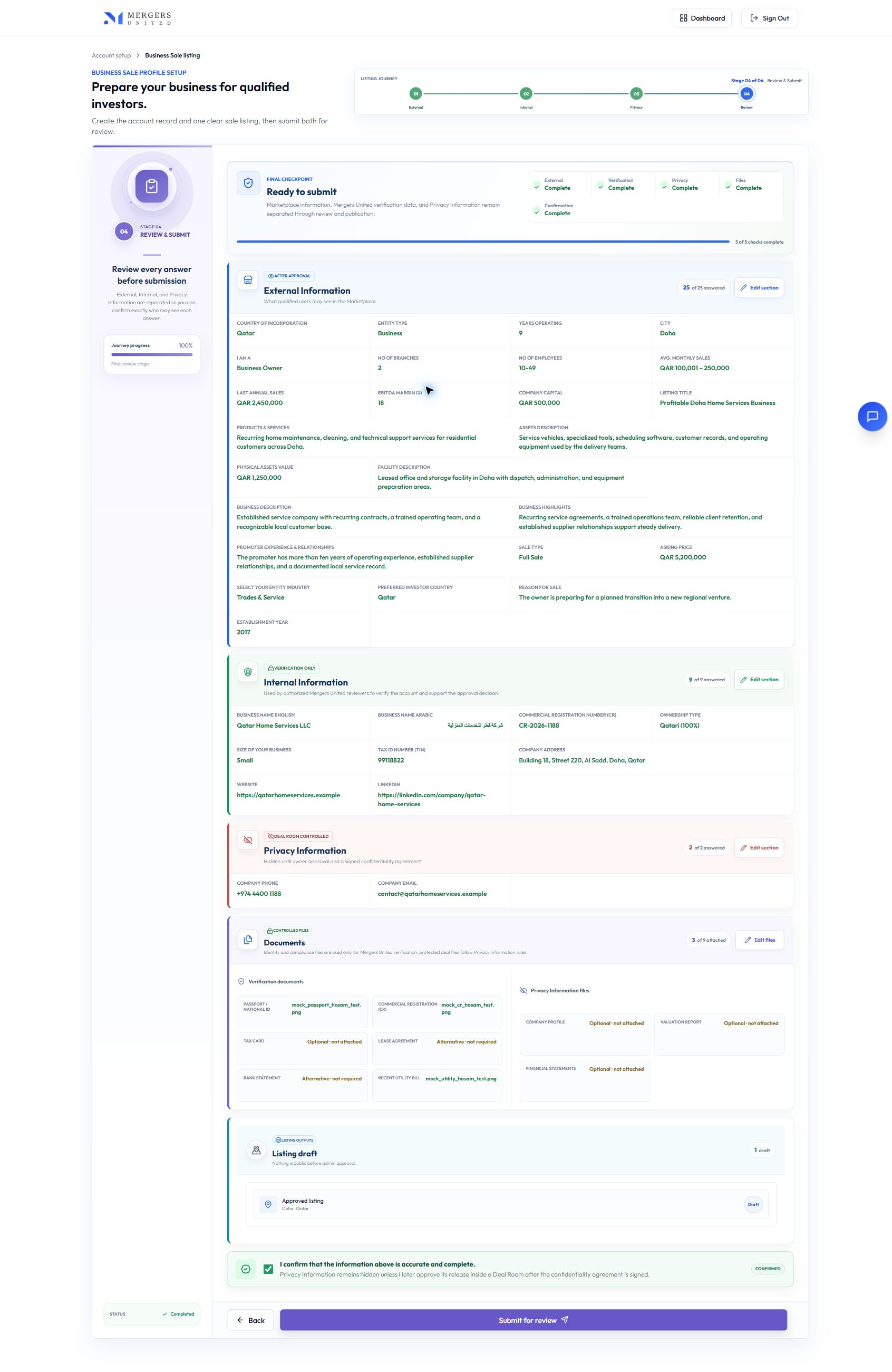
HOW IT APPEARS IN THE PLATFORM GUIDED VIEW
Mergers United Business Sale Listing form
03 / ADMIN REVIEW

Get your opportunity approved

Our team reviews your submission before it appears in the Marketplace. This keeps the platform clear and credible for everyone.
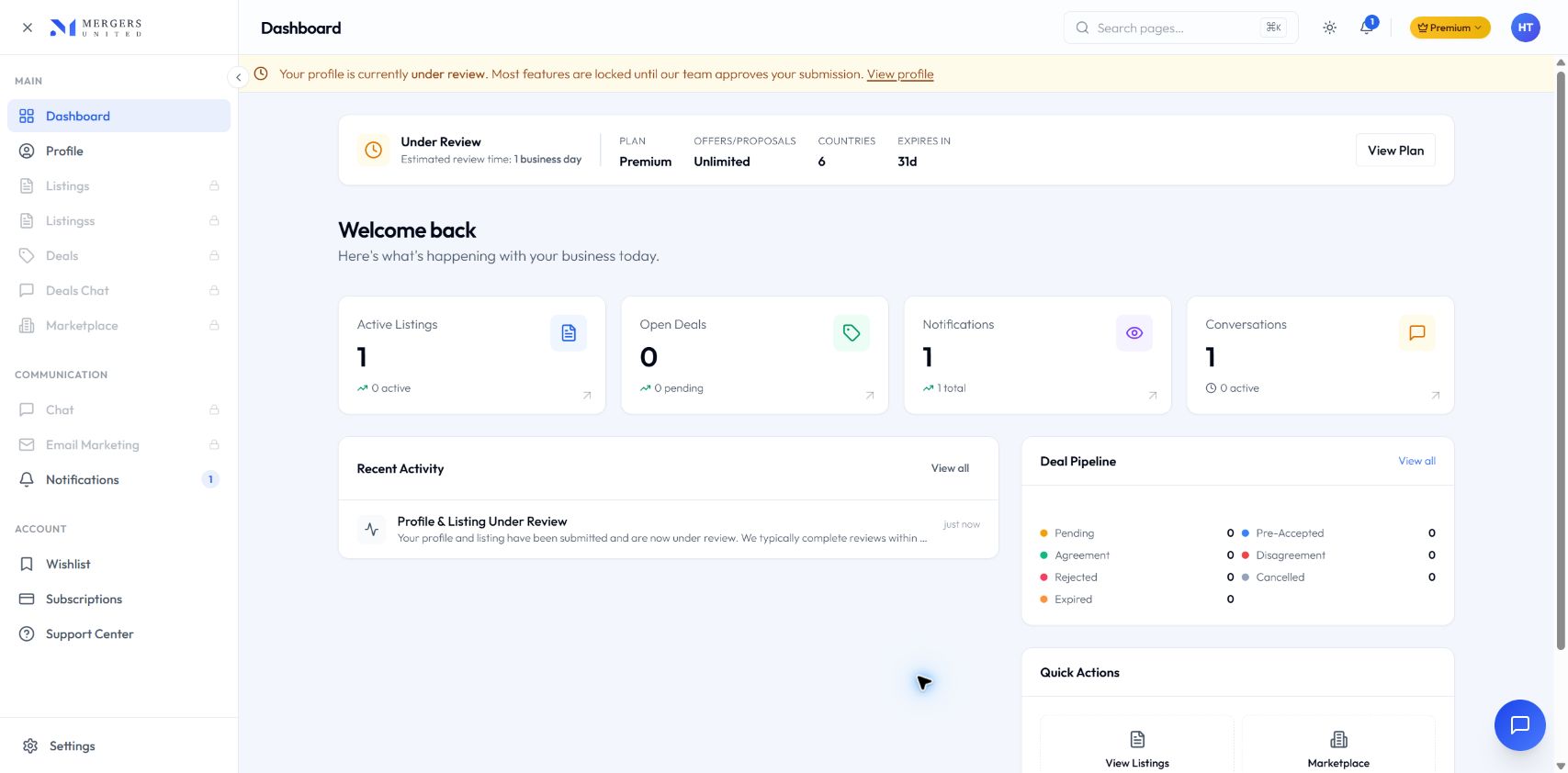
HOW IT APPEARS IN THE PLATFORM GUIDED VIEW
Mergers United admin review status
04 / MARKETPLACE

Find the right investors

Explore investors looking for opportunities and receive interest in your business. This brings both sides together around a clear opportunity.
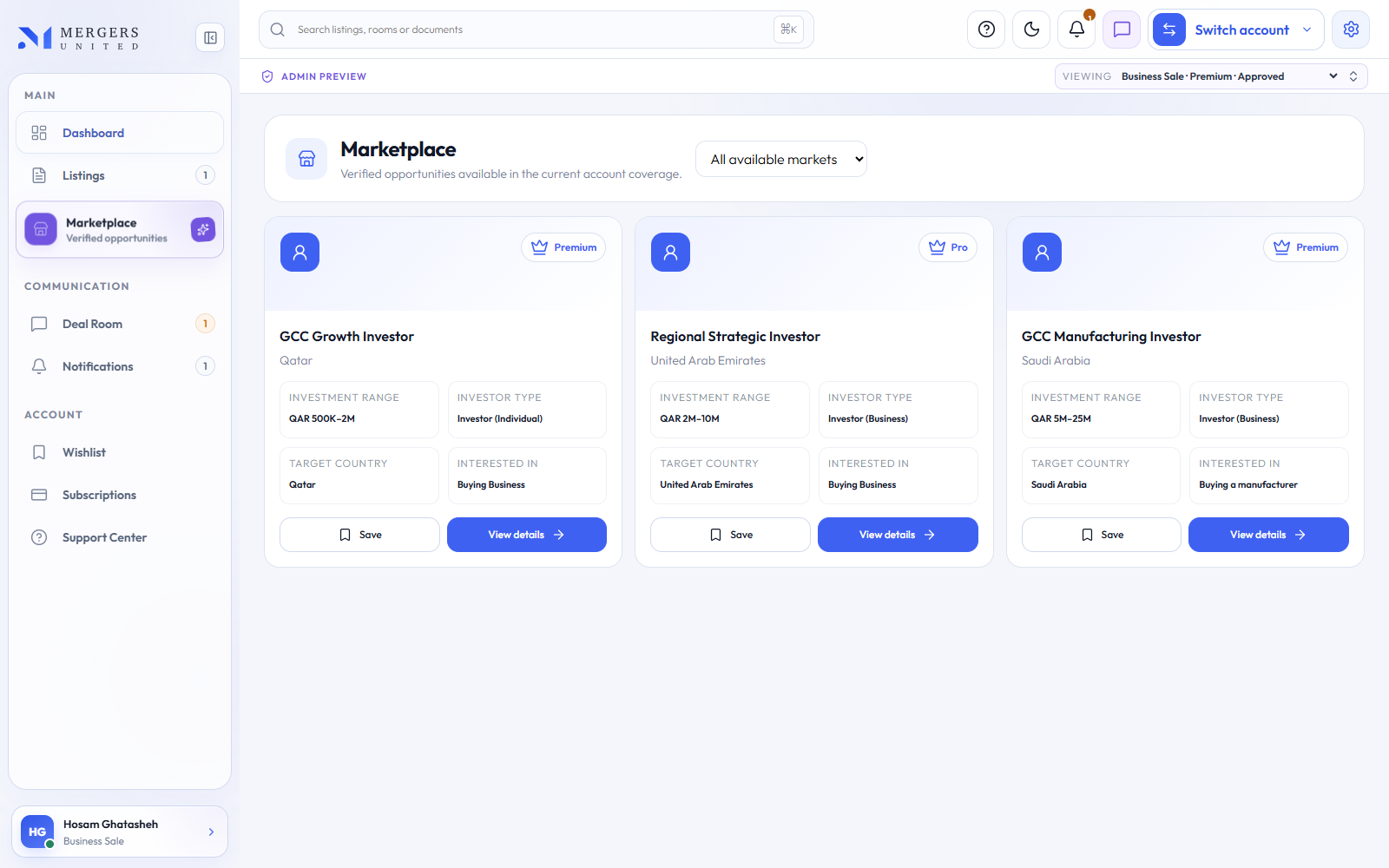
HOW IT APPEARS IN THE PLATFORM GUIDED VIEW
Mergers United business account Marketplace
05 / PRE-ACCEPT

Confirm that both sides want to continue

Pre-Accept confirms that the conversation is serious before it moves forward. This saves time and keeps private information controlled.
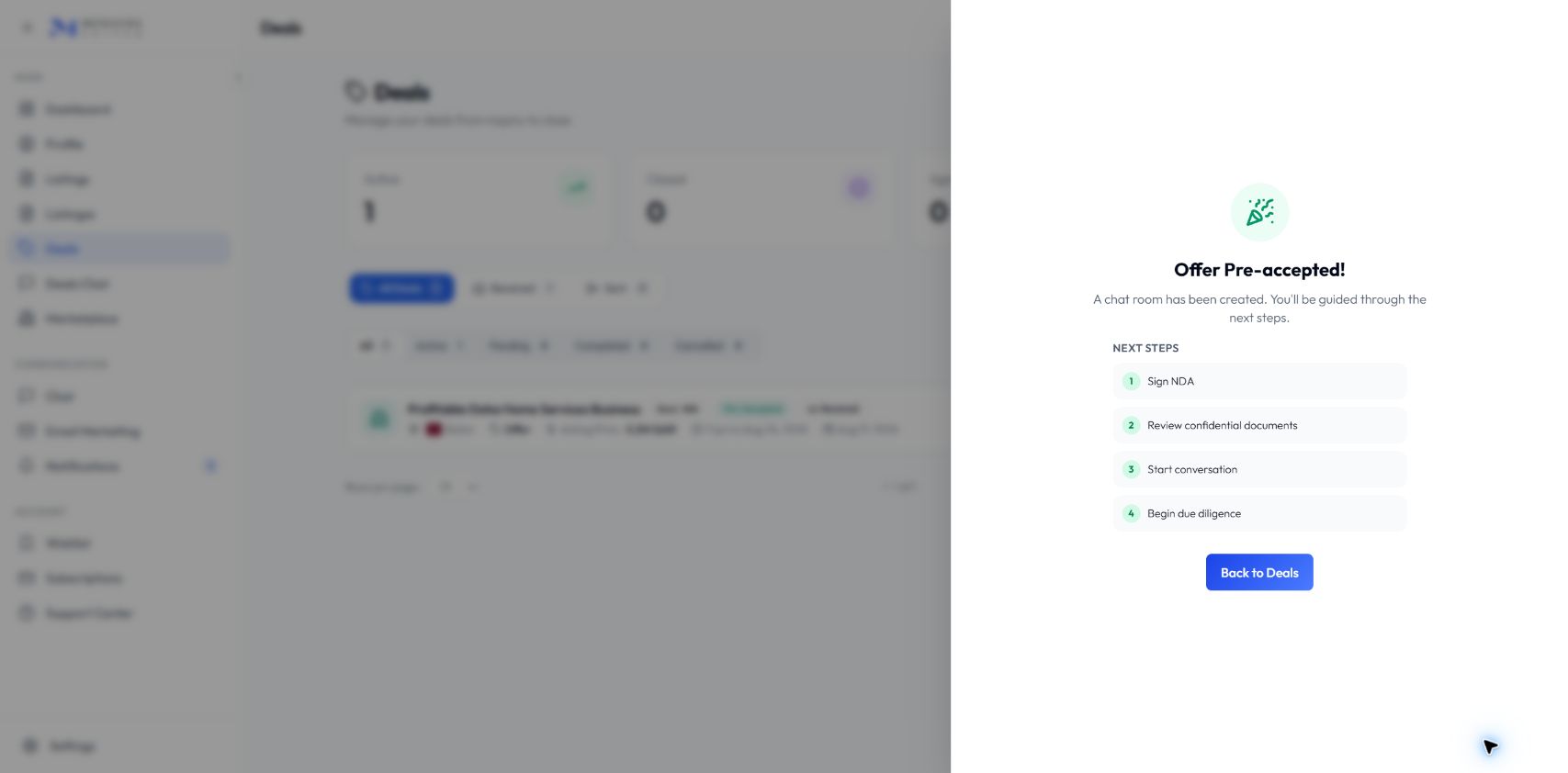
HOW IT APPEARS IN THE PLATFORM GUIDED VIEW
Mergers United Deal Room pre-accept
06 / DEAL ROOM

Manage the deal in one place

Continue the conversation, share approved information, review documents, and follow progress together until a final decision is reached.
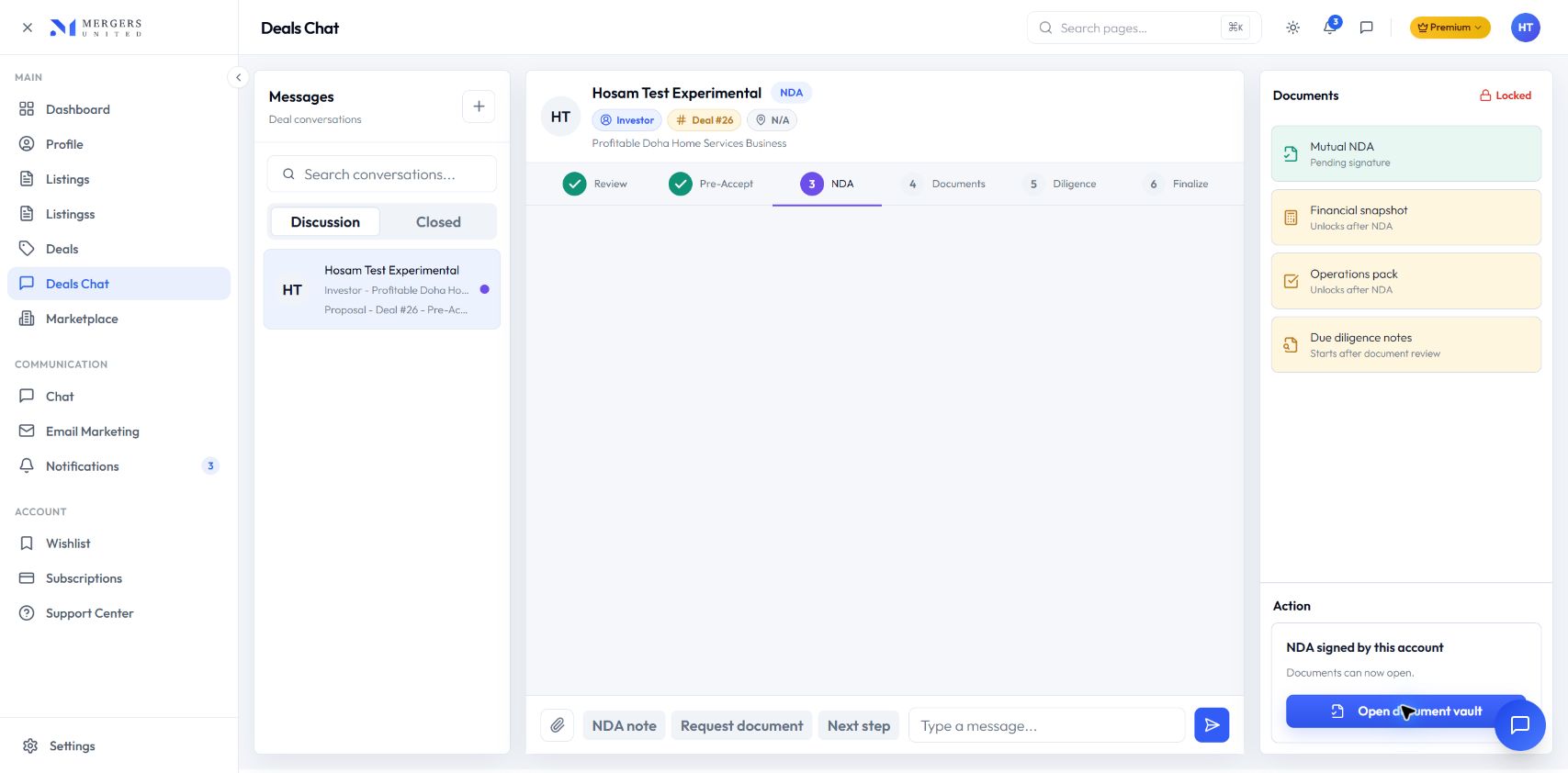
HOW IT APPEARS IN THE PLATFORM GUIDED VIEW
Mergers United Deal Room business
THE SHARED PROCESS

After Pre-Accept, both sides follow the same Deal Room journey.

01

Review

Open the Deal Room and review the transaction context.

02

Pre-Accept

Confirm initial intent before confidential engagement begins.

03

NDA

The confidentiality record protects both parties.

04

Documents

Approved information and documents stay inside the Deal Room.

05

Diligence

Both sides continue the structured evaluation process.

06

Finalize

Close the journey as an Agreement or Disagreement.

OWNER-CONTROLLED PRIVACY INFORMATIONPrivate Information is never open by default.

The owner approves the Reveal Request. The platform then generates and electronically signs the NDA before controlled access is provided.

KEEP EXPLORING

Now compare the investor side of the same transaction.

Both journeys meet after Pre-Accept, but each side sees different Listings and takes different Marketplace actions.

See the Investor Journey